Every service business I work with has a CRM. Most of them aren't using it — not really. They're storing contact information, maybe logging a few notes, occasionally running a report that nobody acts on. The tool is there. The architecture isn't.
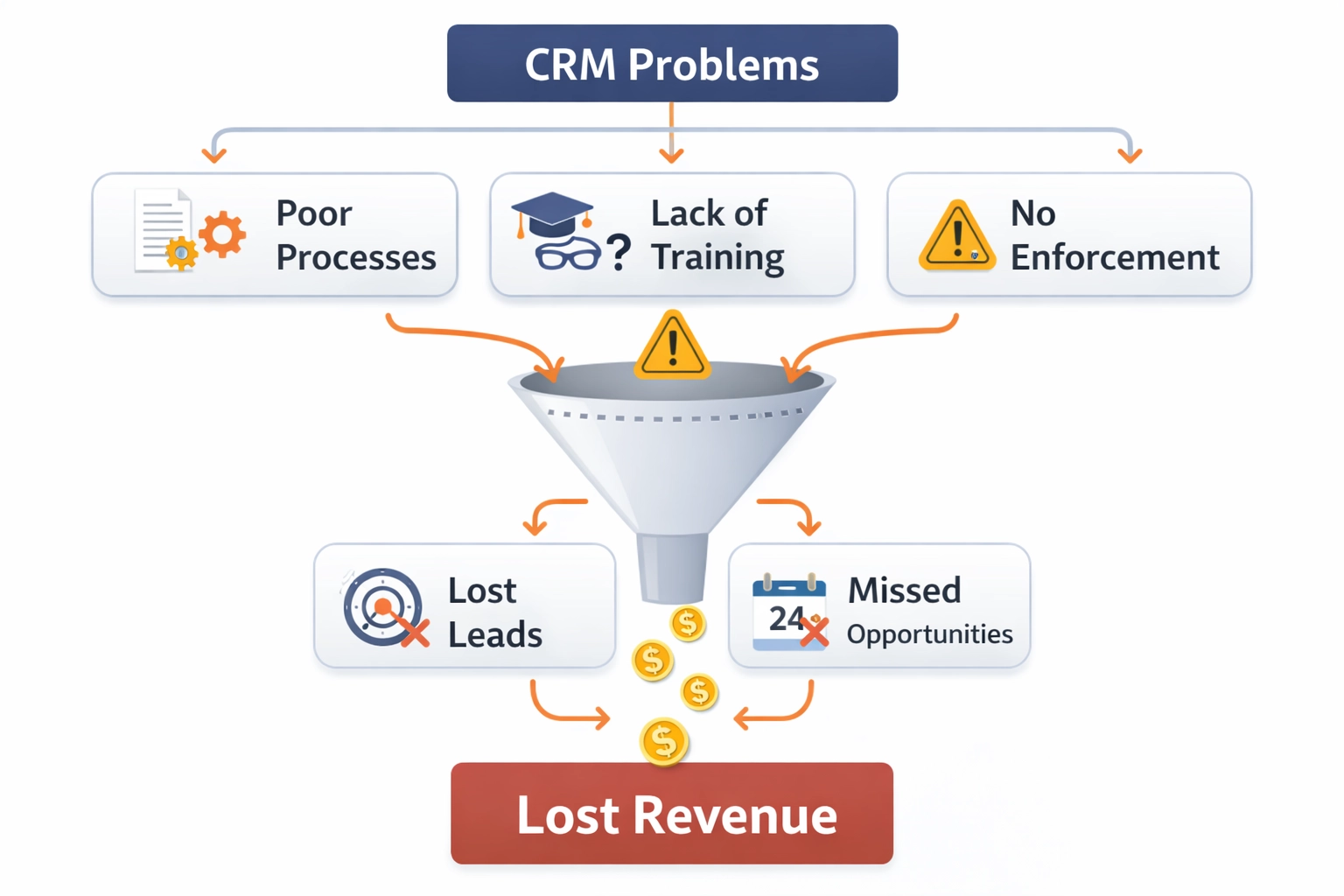
When owners tell me their CRM isn't working, they usually mean one of three things: the team isn't using it consistently, they can't get useful data out of it, or it doesn't connect to anything meaningful. All three of these are architecture problems, not software problems. And architecture is fixable.
The average service business is paying for a CRM that functions as an expensive contact list. The problem is almost never the software.
What a CRM Is Actually For
A CRM is not a contact database. It's a revenue management system. The distinction matters because if you're using your CRM only to store names and numbers, you're capturing about 10% of its value and creating none of its leverage.
A properly built CRM should automatically capture every inbound lead from every channel, tag it with its source, assign it to the right person immediately, trigger follow-up sequences, track the lead through each stage to a booked job, and report on what's converting and what it's costing you. That's what a revenue engine looks like. Most CRMs I audit aren't close.
Signs Your Architecture Is Broken
You don't need a formal audit to know something is wrong. These are the signals I see most often:
- Leads come in through multiple channels but land in the same inbox with no tagging or routing
- The sales team uses the CRM inconsistently — some log everything, others log nothing
- You can't pull a report that shows lead volume by source, conversion rate by rep, or cost per booked job
- Leads fall through the cracks between marketing and sales with no one accountable for follow-up
- Speed to lead is measured by feel rather than data — you assume someone called back quickly
- The CRM has pipeline stages that don't reflect how your business actually sells
Any one of these is a revenue problem. All of them together is a systems crisis masquerading as a marketing problem.
What Proper Architecture Looks Like
The architecture of a revenue-producing CRM has five components that all have to work together.
Lead Capture and Source Tagging
Every lead that enters your system should be automatically tagged with its origin — which campaign, which channel, which ad, which landing page. This doesn't happen by default. It requires intentional setup: UTM parameters on your ads, form integrations that pass source data, and webhook connections between your marketing tools and your CRM.
Without this, you can't tell which marketing is working. You're flying blind on your spend.
Immediate Assignment and Routing
A lead that sits unassigned for more than five minutes starts losing value immediately. Research consistently shows that leads contacted within five minutes convert at dramatically higher rates than leads contacted after thirty. Your CRM should auto-assign leads the moment they arrive — to the right rep, based on geography, service type, or capacity — and trigger an immediate task.
If your process involves a shared inbox, manual forwarding, or someone checking a spreadsheet, you have a routing problem. It will cost you bookings every week.
Pipeline Stage Discipline
Pipeline stages need to reflect your actual sales process — not the default stages that came with the software. For most service businesses this means: New Lead → Contacted → Estimate Scheduled → Estimate Delivered → Won/Lost. Each stage should have a clear definition of what it means for a lead to be in that stage and who owns the next action.
When stages are ambiguous, data becomes unreliable. When data is unreliable, you can't forecast. When you can't forecast, you can't plan.
Automation That Closes the Loop
The best CRM setups I've built automate the first touchpoint, the follow-up sequence, and the win/loss notification without human intervention. That doesn't mean removing the human from the sale — it means making sure the human shows up at the right moment with the right information instead of chasing paperwork.
At minimum, your CRM should automatically send a confirmation to every new lead, trigger a task for the assigned rep, and escalate if no contact is logged within a defined window.
Reporting That Connects to Revenue
If your CRM reports end at lead count or pipeline value, you're missing the point. The reports that matter connect marketing activity to booked revenue: cost per lead by channel, lead-to-booking rate by rep, average time to contact, and closed revenue by source. These are the numbers that tell you where to invest and where to stop.
If you can't answer "which marketing dollar produced which booked job," your CRM architecture has a gap that no new software feature will fix.
The Adoption Problem
Architecture is only half the battle. A perfectly designed CRM that nobody uses produces nothing. CRM adoption fails for predictable reasons: the system is too complicated, logging feels like extra work with no payoff, management doesn't enforce standards, and reps don't see the data flowing back to help them.
The fix is structural, not motivational. Simplify the required fields. Make logging the path of least resistance. Build dashboards that reps actually want to look at because they show useful information. And enforce standards through inspection — not speeches. If leadership doesn't review CRM data in every sales meeting, the message is that it doesn't matter.
The Integration Layer
A CRM that doesn't talk to your other tools is an island. For service businesses, the critical integrations are usually: your website forms (leads should flow directly into the CRM, not an email inbox), your call tracking software (calls should log automatically with recordings), your scheduling or dispatch system (booked jobs should close the loop back to the lead), and your marketing platforms (ad performance should connect to what actually converted).
Every gap in this integration chain is a place where attribution breaks down and accountability disappears. Most of the "CRM isn't working" conversations I have are really integration conversations.
Where to Start
If your CRM feels broken, don't start by evaluating new software. Start by auditing what you have. Pull 20 recent leads and trace each one: did it get tagged with a source? Was it assigned immediately? Was the follow-up logged? Did it move through pipeline stages or disappear? That audit will show you exactly where the architecture breaks down.
Fix the architecture before you scale the spend. More leads flowing into a broken system just means more wasted money and more frustrated sales reps. The sequence matters — infrastructure before tactics. Always.